Hi there, you will learn today how to create a new application in Pega. But first of all, what is Pega: Pega is a low-code software platform that helps organizations build applications to automate business processes, manage workflows, and make smart decisions using AI and rules. It’s widely used in industries such as banking, insurance, healthcare, and government to enhance efficiency and improve the customer experience. Saying that, to create the application, you can do it from Dev Studio following these steps: Log in to your Pega environment and click on Application and then New Application. It will appear showing the option to build from scratch or find an application type that Pega has already OOTB. If we click on search all types, it will show all the applications already created in Pega or the OOTB application that has all the assets predefined. Since im working with the personal edition, it doesn't show all the preloaded applications, so we are going with the option t...
Validating data against a pattern
Edit validate rules:
Edit validate rules help us obtain the requested information in the correct format. For example, you request the SSN and you need that information in the following pattern ####-####-####, so you use an edit validate rule to ensure that the user is entering the information in the correct pattern.
This configuration we made at the property level, on the advanced tab, we can define the edit validate rule for that property
Pega already has edit validate rules OOTB, but in the case that you need to customize a pattern, you can do it using a Java function to create the pattern and the validation message when the pattern is not met.
How to configure edit validate rules:
In this video i explain step by step how to configure an edit validate rule in a porperty
Popular posts from this blog
How to save a Page List into data type, Pega Tutorials
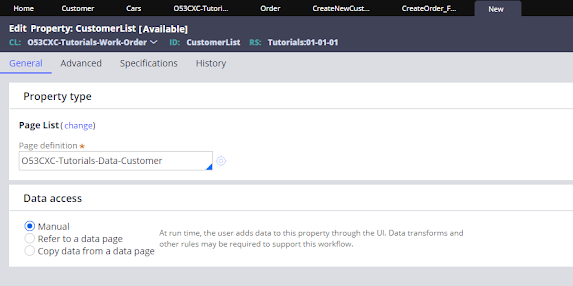
Hi All, recently I had some troubles saving a list into a data type, that is something that I have never done before and there is so little information about it in the pega community sites, so let's get this done to start you have to create a data type and have records on in, if you don't know how to do that, you can watch this video explaining step by step how to create a data type https://youtu.be/rYex_UsTtMg . The next thing that you will need is a page list property, when you are creating the page list property in page definition you have to add the class of the data type. Once we create the page list the easy way to add records to it is through a table so on your section you can configure a table to configure a table select property on general than in order to add data, on table settings click on Operations and in row editing select inline and then click the row to edit and submit save the section and test by adding some data to it, you wil...
Step by step How to create a SOAP Connector in pega
Hi, in this tutorial, you will learn how to create a SOAP in Pega. To do so, we are going to use the service creation wizard. In dev studio, click on Configure > Integration > Create SOAP Integration . It will open up the wizard. The first step is to provide the WSDL URL, which is the address where the XML document describing a web service can be accessed. For this example, we are going to use the following WSDL: http://www.dneonline.com/calculator.asmx?WSDL. We click on next, and it will show the service name, port name, and endpoint. It will give us the option to test and select the operation name. When we finish testing, we click on next. Then it will show the integration layer, it will show the name of the integration, the class, and the context there, where we can define the class where this integration will be created, as well as the rulesets. We can click on preview records to check the rules that the wizard will be creating for the integration. It will show all...
Pega For Beginners - How to create your first application in pega in 5 minutes
Hi there, you will learn today how to create a new application in Pega. But first of all, what is Pega: Pega is a low-code software platform that helps organizations build applications to automate business processes, manage workflows, and make smart decisions using AI and rules. It’s widely used in industries such as banking, insurance, healthcare, and government to enhance efficiency and improve the customer experience. Saying that, to create the application, you can do it from Dev Studio following these steps: Log in to your Pega environment and click on Application and then New Application. It will appear showing the option to build from scratch or find an application type that Pega has already OOTB. If we click on search all types, it will show all the applications already created in Pega or the OOTB application that has all the assets predefined. Since im working with the personal edition, it doesn't show all the preloaded applications, so we are going with the option t...
Comments
Post a Comment